
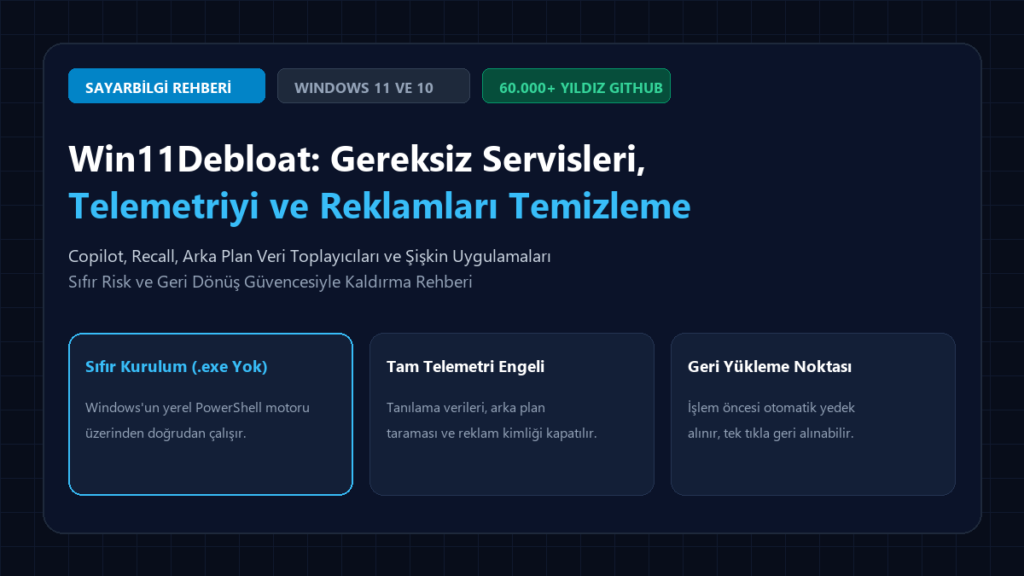
When you purchase a modern desktop or portable computer, or perform a clean Windows 11 / Windows 10 installation, you expect your system to use all of its CPU cores and memory bandwidth with maximum efficiency. However, Microsoft’s default operating system architecture essentially overwhelms your hardware with dozens of telemetry monitors running in the background, aggressive diagnostic data collectors, Start menu ads integrated with Bing, Windows Copilot, Recall screen monitoring services, and pre-installed sponsored games. Win11Debloat, which became the number one lightweight optimization standard in the open source world by receiving over 60,000 stars on GitHub, offers the most reliable method to rescue your system from factory bloatware without requiring any installation.
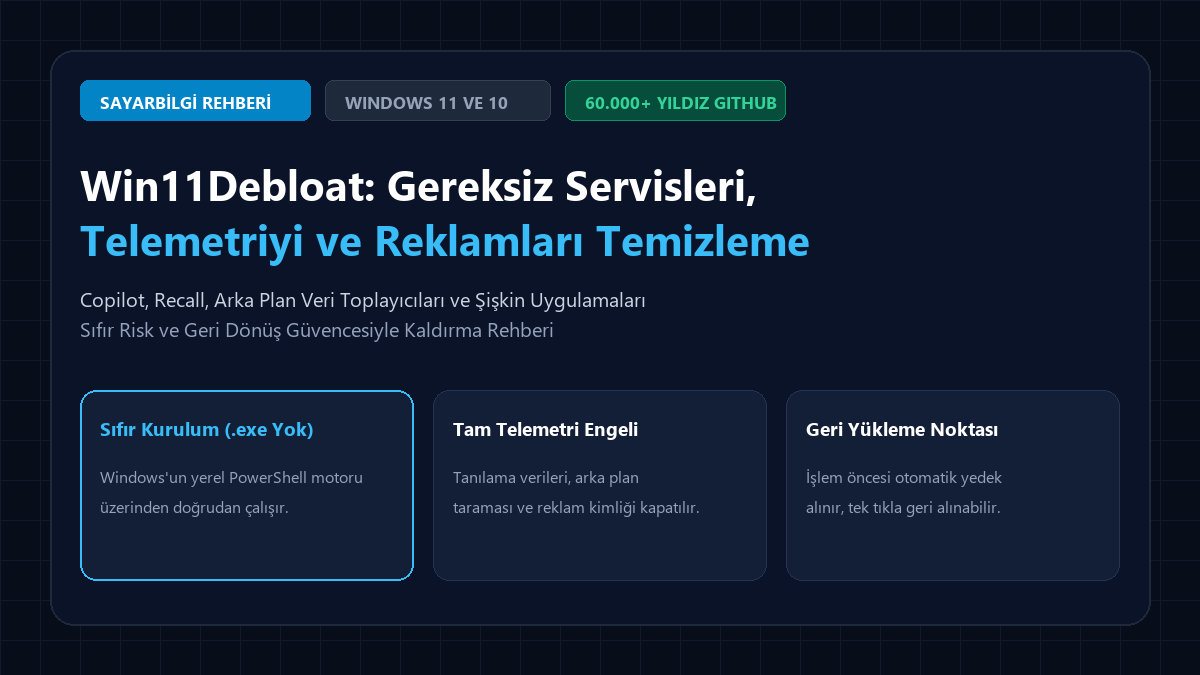
1. What Is Win11Debloat and How Does It Differ from Ordinary ‘Optimization’ Programs?
Many untrusted, closed-source “Windows Accelerator” or “Tweaker” applications circulating online cause irreversible registry corruption, cripple the Windows Update infrastructure and create security vulnerabilities, or run their own background services. , developed by , works on a completely opposite philosophy:

- Zero Setup (No .exe or Installer):
- Preserves System Integrity (Non-Destructive):
- Automatic System Restore Point:
- One-Click Reversibility:
2. What Does Win11Debloat Disable, and Which System Components Does It Preserve?
When using an optimization tool, the biggest concern that comes to mind is: “Will my games crash, or will my printer or Bluetooth headphones stop working?” Win11Debloat’s success lies in its ability to target only the parasitic services that degrade the user experience, while meticulously protecting the system’s vital components:
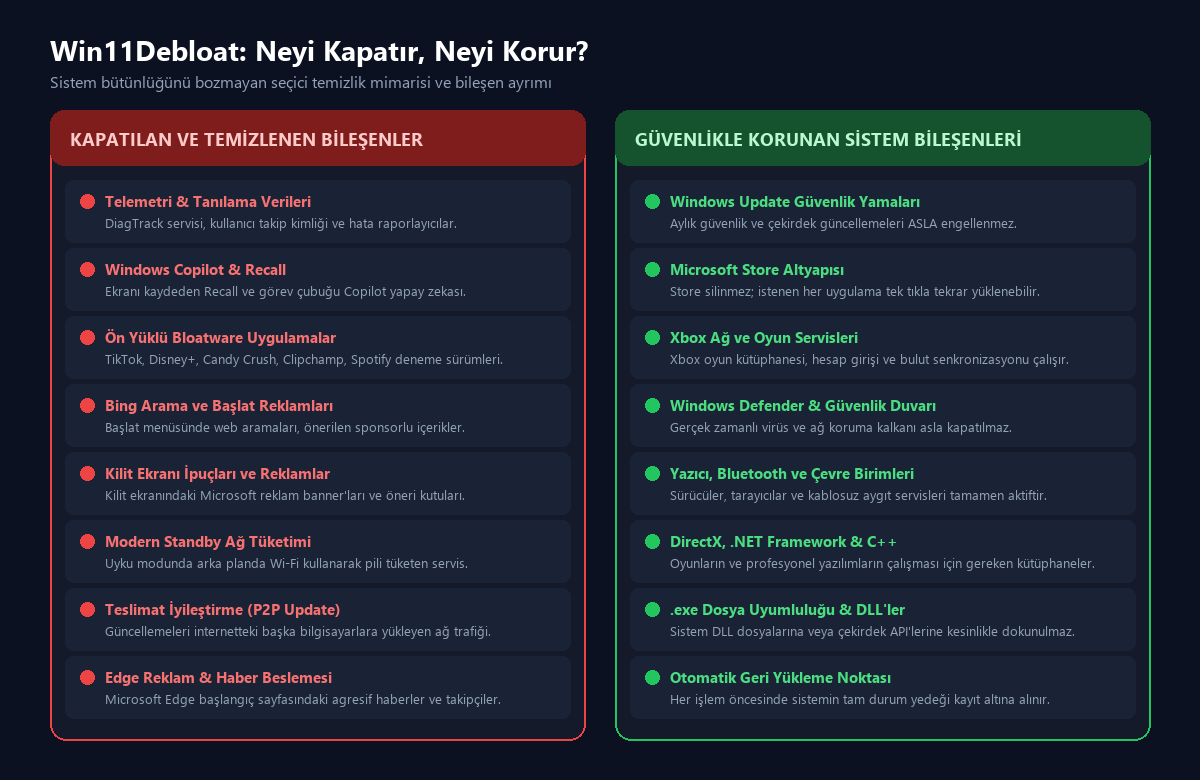
🔴 Components That Were Disabled and Purged from the System:
- Background Telemetry and Diagnostics Services:
DiagTrack - Windows Copilot, Recall and AI Services:Windows RecallClick to Do
WSAIFabricSvc - Unnecessary Preinstalled Applications (UWP Bloatware):
- Start Меню and Taskbar Ads:
- Delivery Optimization:
- Modern Standby Network Power Consumption:
🟢 Safely Encapsulated and Never-Touched Components:
- Windows Update Security Patches:
- Microsoft Store Core:
- Xbox and Gaming Services:
- Windows Defender and Firewall:
- Device Drivers and Peripheral Units:
- DirectX, .NET Framework, and Visual C++ Runtimes:
3. Before and After: Concrete Performance Impacts on the System
On a system with a clean installation of Windows 11 24H2, the hardware relief achieved after applying the recommended optimizations by Win11Debloat, as a result of the tests we conducted, is as follows:
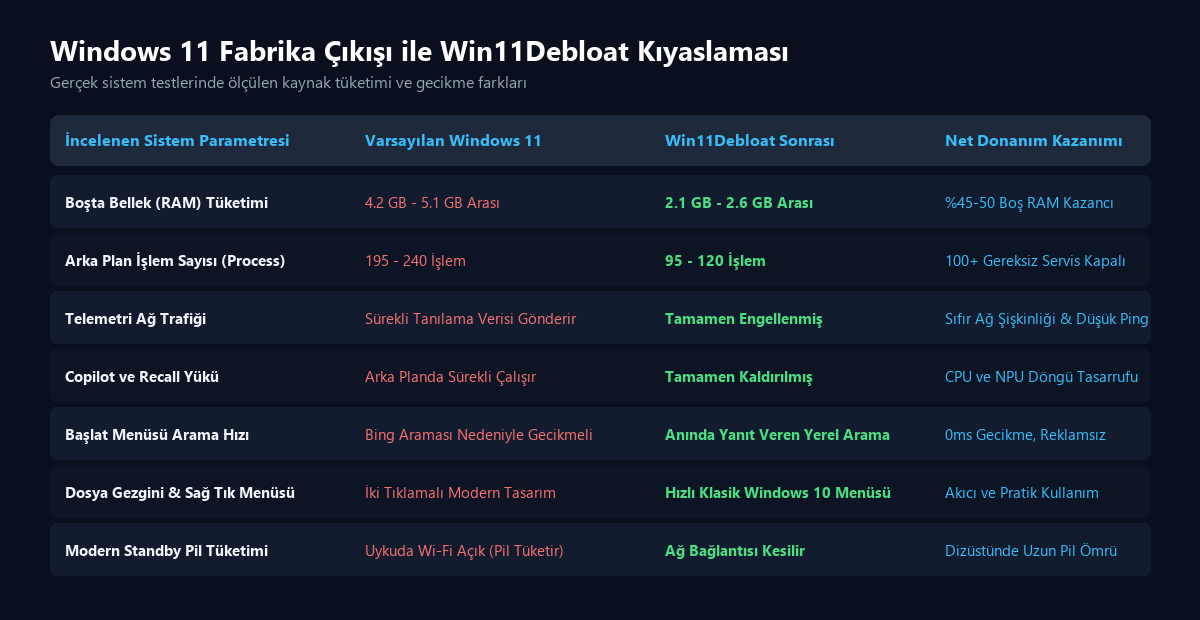
| System Parameter Under Investigation | Default Windows 11 | After Win11Debloat Is Applied | Net Залізо Gain |
|---|---|---|---|
| Idle Memory (RAM) Consumption | 4.2 GB – 5.1 GB | 2.1 GB – 2.6 GB | 45-50% Free Memory Savings |
| Background Processing Count (Process) | 195 – 240 Transaction | 95 – 120 Transactions | 100+ Unnecessary Services Disabled |
| Telemetry Network Traffic | Sürekli Tanılama Verisi Gönderir Sürekli teşhis, bir sistemin veya bileşenin sağlığını anlık olarak izler ve değerlendirir. Bu yaklaşım, olası arızaların erken aşamada tespit edilmesini sağlar ve sistemlerin kesintisiz çalışmasını destekler. Sürekli teşhis, özellikle kritik sistemlerde büyük önem taşır. Bu teknoloji, veri analizi ve izleme süreçlerini otomatikleştirir. Cihazlar veya yazılımlar, sürekli olarak performans verilerini toplar ve bunları değerlendirir. Böylece, potansiyel sorunlar ortaya çıkmadan önce müdahale edilebilir. Sürekli teşhis, hem maliyetleri düşürür hem de operasyonel verimliliği artırır. Özellikle endüstriyel ve tıbbi alanlarda büyük fayda sağlar. Bu sayede, beklenmedik arızaların yol açtığı duraklamalar minimize edilir. | Completely Blocked | Zero Network Bloat & Low Ping |
| The Copilot and Recall Burden | Runs Continuously in the Background | Completely Removed | CPU and NPU Cycle Savings |
| Start Меню Пошук Speed | Delayed Due to Bing Пошук | Instant-Response Local Пошук | 0ms Latency, Ім'я-Free Experience |
| File Explorer & Right-Click Меню | Two-Stage Modern Меню | Fast Classic Windows 10 Меню | Smooth and Practical Usage |
| Modern Standby Power Consumption | Wi-Fi Left On During Sleep (Drains Battery) | Network Connection Lost | Long Battery Life on Laptops |
Step 4: Step-by-Step Installation and Operating Guide
There’s no need to bother downloading and extracting the Win11Debloat zip file from the internet. You can run it directly using the official PowerShell command in seconds:
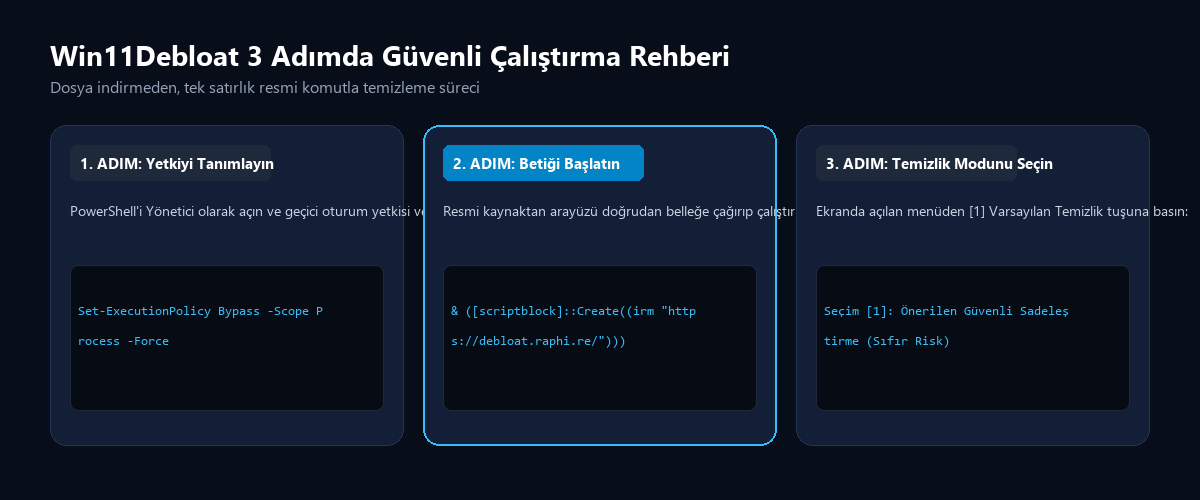
Step 1: Launch PowerShell as Administrator Right-click on the Start menu icon and select or from the context menu.
Step 2: Enable the Temporary Session Permission Paste the following command into the PowerShell console and press Enter (this command applies only to the currently open terminal window and does not permanently compromise your system’s overall security policy):
Set-ExecutionPolicy Bypass -Scope Process -ForceStep 3: Run the Official Win11Debloat Code Paste the following single-line safe command and press the Enter key:
& ([scriptblock]::Create((irm "https://debloat.raphi.re/")))The moment the command is entered, the script automatically scans your system and presents a menu interface with Turkish explanations:
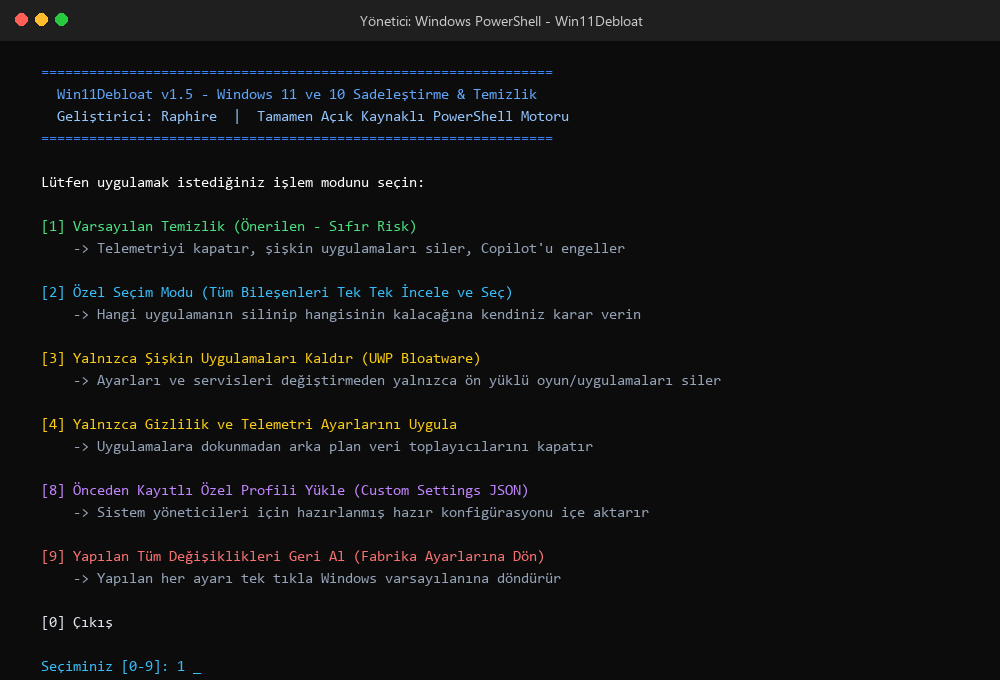
5. Меню Options: Which Number Should You Choose?
Once the terminal window opens, you can start the process by typing the relevant number from your keyboard and pressing Enter:
- [1] Default Cleanup (Run default debloat – Recommended Mod):
- [2] Custom Selection Mode (Custom debloat):
- [3] Remove Apps Only:
- [4] Only Apply Privacy Settings:
- [8] Load Custom Configuration:
- [9] Revert Changes:
6. Fine-Tuning Options for Players and Professionals
If you’re playing competitive games (CS2, Valorant, Rainbow Six Siege) or rendering, the following three parameters give you a direct hardware advantage:
- Mouse Sensitivity Boost (Mouse Acceleration) Lock:
- Task Bar “End Task” Feature:
- The Return of the Classic Right-Click Меню:
7. Frequently Asked Questions (FAQ)
Question 1: Is Win11Debloat safe? Does it contain any viruses or backdoors? It is absolutely safe. Win11Debloat is not a closed .exe file; it is a transparent PowerShell text file (.ps1) whose source code is publicly available on GitHub for anyone to review. It has been scrutinized by tens of thousands of system administrators and developers worldwide.
Question 2: Will settings be reset in future Windows updates? During major version updates (such as the transition from 24H2 to 25H2), Microsoft may re-enable certain telemetry keys. In this case, you can re-run the Win11Debloat command to clean up your system within seconds.
Question 3: How do I undo an accidentally deleted Windows app? Since the Microsoft Store infrastructure is robust, you can reinstall any official Microsoft app (Calculator, Photos, Paint, Notepad, etc.) at any time by typing it into the Microsoft Store search bar and clicking “Install.”
Обговоріть цю подію в спільноті
Haber hakkındaki düşüncelerinizi, donanım deneyimlerinizi ve teknik sorularınızı topluluk üyeleriyle anlık olarak tartışın.
Bu gelişme hakkında düşüncelerinizi, donanım deneyimlerinizi veya sorularınızı Community Forumumuzda paylaşın.
Foruma Katıl & Yanıtla ➔






















Ваше слово.
Поділіться своїм досвідом, запитаннями та коментарями. Ваша електронна адреса не буде опублікована.